How to Generate AI Avatars for Engaging UGC Videos
HotUGC
February 28, 2026 · 14 min read
How to Generate AI Avatars for Engaging UGC Videos

Running paid campaigns across TikTok, Instagram, and Facebook means every second counts for catching your customer’s attention. North American e-commerce marketers understand that selecting the right AI avatar platform shapes every step of your video ad production, from content quality to conversion rates. This guide covers what matters most when designing high-impact, AI-generated video ads that look authentic and drive real actions on social media.
Table of Contents
- Step 1: Select the Right AI Avatar Generation Platform
- Step 2: Prepare Content Inputs and Ad Requirements
- Step 3: Customize Avatars and Video Scripts
- Step 4: Generate and Review AI-Produced Video Ads
- Step 5: Verify Avatar Quality and Conversion Readiness
Quick Summary
| Key Insight | Explanation |
|---|---|
| 1. Choose a platform wisely | Selecting the right AI avatar platform is crucial; it influences ease of use, customization, and overall campaign efficiency. |
| 2. Prepare high-quality content | Gather essential product information and clear messaging before creating videos; this ensures effective input for your AI avatar ads. |
| 3. Customize for audience affinity | Tailor avatars and scripts to match your target demographic to enhance relatability and connection to your brand. |
| 4. Review video quality critically | After generating your video, evaluate aspects like lip sync, pacing, and message clarity to ensure optimal viewer engagement. |
| 5. Test and iterate for improvement | Before fully deploying your ads, run small audience tests to gauge performance and refine your approach based on feedback. |
Step 1: Select the Right AI Avatar Generation Platform
Choosing the right platform sets the foundation for your entire UGC video production workflow. You need a solution that balances ease of use, customization options, and the ability to generate avatars that feel authentic to your audience. The wrong platform wastes time; the right one accelerates your campaigns.
Start by evaluating what your platform must deliver. Natural language processing and facial animation capabilities determine whether your avatars can deliver persuasive product reviews that actually convert. Look for platforms offering:
- Realistic avatar customization (skin tone, age, clothing, hairstyle)
- Voice quality and accent options to match your target market
- Script generation tools that optimize for conversions, not just entertainment
- Multi-language support if you’re running campaigns across North America or beyond
- Commercial licensing so you own rights to your videos
Next, assess integration and workflow speed. Can the platform connect to your existing tools? How many minutes does it actually take to generate a finished video? Some platforms promise speed but deliver clunky interfaces that slow you down. Test the platform with a real product review scenario before committing to a subscription.
Data privacy matters more than most marketers realize. Your platform should transparently address where it stores your product data, scripts, and video files. This protects both your campaigns and your brand reputation.
Consider how the platform handles customization at scale. If you’re running A/B tests across avatars, you need a solution where individualized instruction and platform customization are straightforward, not complicated. When comparing AI avatar platforms, the real difference often comes down to how quickly you can adapt and iterate.
Don’t overlook support and learning resources. Platforms with active documentation, tutorials, and responsive teams save you hours of troubleshooting. Your time is valuable, especially when you’re scaling campaigns.
Here’s a comparison of key factors to consider when choosing an AI avatar platform:
| Factor | Why It Matters | Impact on Workflow |
|---|---|---|
| Customization Depth | Enables realistic brand alignment | Increases campaign relevance |
| Voice & Accent Range | Matches diverse markets | Boosts audience authenticity |
| Script Optimization | Drives conversions, not just views | Improves ROI |
| Integration Speed | Connects to your marketing stack | Reduces production bottlenecks |
| Data Privacy | Protects your assets and reputation | Mitigates legal risk |
The best platform isn’t the most feature-rich—it’s the one that reduces friction between your idea and a finished, high-converting video.
One final check: Compare your shortlist against actual results from similar brands. Examining how real brands replaced creators with AI UGC reveals which platforms deliver measurable improvements in ROAS and engagement.
Pro tip: Start with a 7-day free trial on two platforms and produce the exact same product review on each. Time the entire process from start to finish, then compare video quality and avatar authenticity side by side—this real-world test reveals which platform fits your workflow best.
Step 2: Prepare Content Inputs and Ad Requirements
Before your AI avatar can deliver results, you need to prepare the raw materials that will shape your video. This means gathering product information, defining your script, and specifying exactly what your ad should accomplish. Clarity here prevents frustration later.
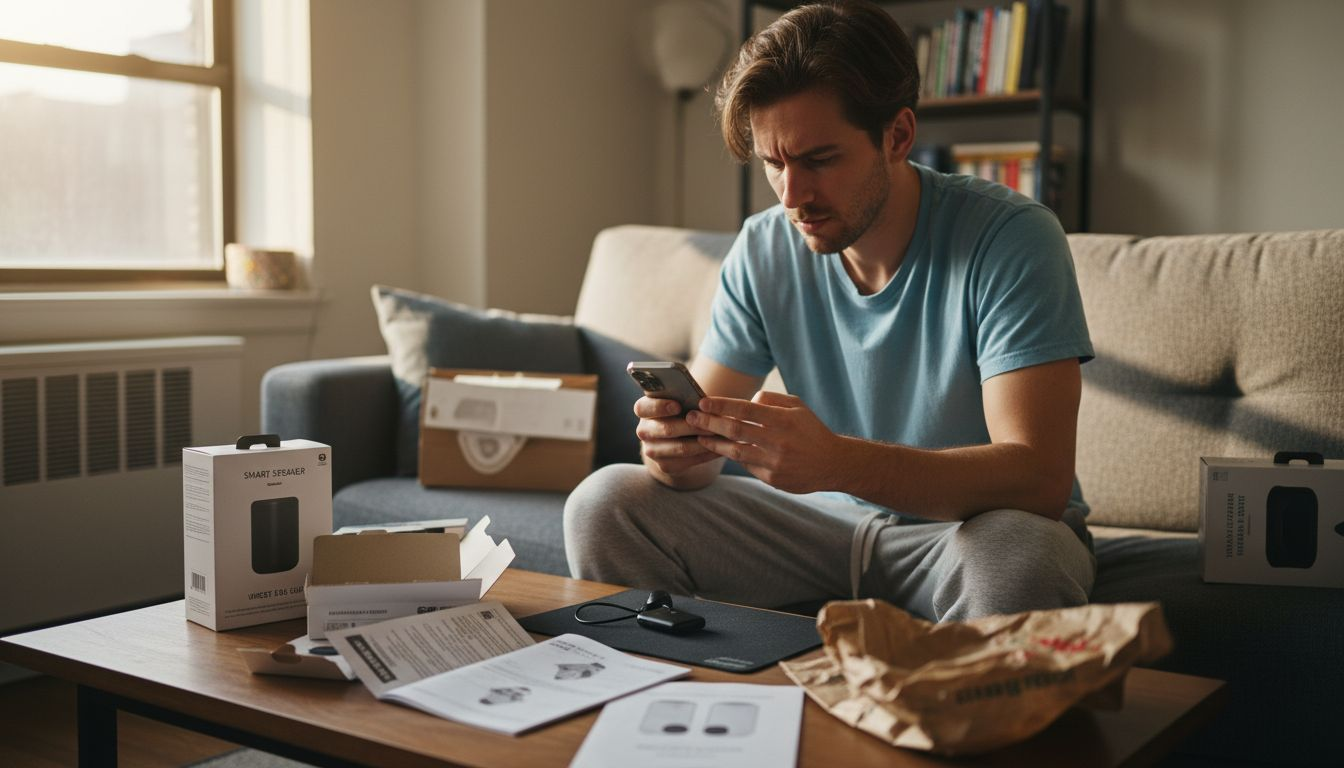
Start by collecting your product assets and details. You’ll need high-quality images of the product from multiple angles, key product benefits, price point, and any unique selling propositions. Write down the problem your product solves and why customers should care. This information feeds directly into your script generation.
Next, define your ad specifications and goals. How long should your video be? Most social platforms favor 15 to 60 second spots. What’s your target audience? Are you selling to budget-conscious shoppers or premium buyers? Understanding these parameters ensures input quality and relevance translates into ads that actually perform.
Write or outline your core messaging script. Your avatar will deliver this dialogue, so make it conversational, not robotic. Include a hook that captures attention in the first three seconds, a problem statement, the solution, social proof if available, and a clear call to action. When defining avatar persona, scripts, and scene elements, specificity matters more than perfection.
Consider these key inputs:
- Avatar persona (age, gender, style, accent preference)
- Tone and energy level (professional, casual, humorous, urgent)
- Product benefits (what specific problem does it solve?)
- Call to action (shop now, learn more, claim discount)
- Brand voice alignment (does this match your brand personality?)
Think about your distribution channels too. Will this run on TikTok, Instagram, or Facebook? Each platform has different optimal video lengths, aspect ratios, and pacing preferences. A TikTok video thrives on quick cuts and energy, while Facebook viewers tolerate longer, more detailed explanations.
The quality of your inputs directly determines the quality of your output. Spend time here, and your avatar videos will reflect that effort.
Don’t skip competitive research. Look at how successful UGC ad frameworks structure product stories across scenes to understand what resonates with your specific audience.
To help you optimize content inputs for AI-powered ads, reference this summary:
| Input Type | Preparation Tip | Ad Performance Benefit |
|---|---|---|
| Product Images | Use high-resolution, multi-angle shots | Increases viewer trust |
| Key Benefits | List out top 3 product advantages | Clarifies value proposition |
| Audience Profile | Define age, interests, pain points | Guides script and visual choices |
| Distribution Goal | Tailor for each platform’s format | Maximizes reach and engagement |
Pro tip: Write three different script variations for the same product, each highlighting a different benefit or addressing a different customer pain point. Upload all three to test which messaging angle drives higher conversion rates, then refine based on actual performance data.
Step 3: Customize Avatars and Video Scripts
This is where your AI avatar becomes truly yours. Customization transforms a generic video into one that speaks directly to your audience and reflects your brand identity. The time you invest here determines whether viewers connect with your message or scroll past.
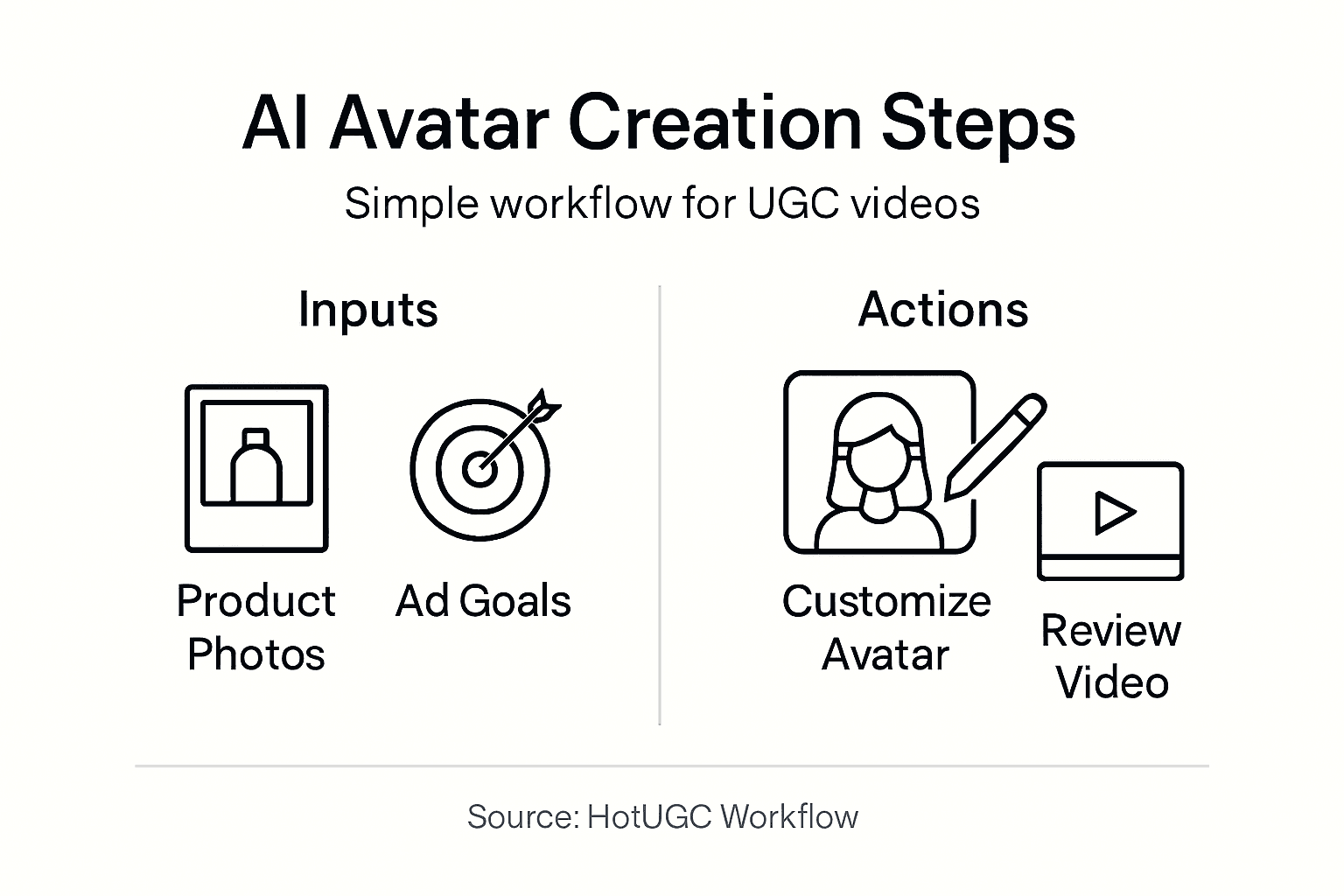
Start with avatar appearance. Most platforms let you adjust skin tone, facial features, hairstyle, clothing, and accessories. Think about who your ideal customer is and choose an avatar that mirrors that demographic. A luxury skincare brand might select a polished, professional avatar, while a fitness brand could go for someone athletic and energetic. Tailoring facial features and clothing using advanced customization ensures your avatar aligns with your brand aesthetic.
Next, focus on your video script. This is your avatar’s dialogue, and it needs to sound natural, not like a robot reading a teleprompter. Write conversationally. Use contractions. Include phrases your actual customers would use. Your script should match your chosen avatar’s personality too. An older avatar sounds different from a younger one; a casual brand voice differs from a corporate one.
Consider these script elements:
- Opening hook (grab attention in 3 seconds)
- Problem identification (what pain point does your product solve?)
- Solution presentation (how your product fixes it)
- Social proof (testimonials, ratings, or results)
- Clear call to action (what should viewers do next?)
Now comes the iterative part. Creating relatable and compelling content requires adjusting scripts based on feedback and campaign goals, so don’t expect your first draft to be final. Generate a test video, watch it critically, and ask yourself: Does the avatar sound authentic? Does the script flow naturally? Would you watch this ad all the way through?
Test different tone variations too. Try the same script delivered with urgency versus calm confidence. Some audiences respond to humor, while others prefer straightforward benefits. Your platform should allow quick script adjustments without starting from scratch.
The best avatar customization feels invisible. Viewers should focus on your product, not notice they’re watching an AI.
Remember that AI video ads perform differently across platforms based on their audience expectations and content styles, so customize your script pacing accordingly.
Pro tip: Create three versions of your avatar with slightly different personalities (confident, relatable, humorous) and test each with the same script. This reveals which avatar persona drives higher engagement and conversion rates for your specific product and audience.
Step 4: Generate and Review AI-Produced Video Ads
You’ve prepared your inputs and customized your avatar. Now it’s time to hit generate and see your video come to life. This step moves fast, but the review process determines whether your ad actually converts or falls flat.
Hit the generate button and let the platform create your video. Most systems process this in minutes, not hours. You’ll get a finished video with your avatar delivering your script, complete with synced dialogue, facial expressions, and the visual polish that makes AI avatars effective.
Immediately after generation, begin your critical review. Watch the entire video without distractions. Assessing visual quality, speech naturalness, and engagement metrics ensures your final content actually performs.
Evaluate these key elements:
- Lip sync accuracy (does the mouth match the words?)
- Facial expressions (do they feel natural or robotic?)
- Pacing and energy (does the avatar maintain viewer interest?)
- Audio clarity (is the voice easy to understand?)
- Message delivery (does the script land convincingly?)
- Call to action (is it clear what viewers should do?)
Pay special attention to synchrony between speech and lip movements, which directly impacts viewer credibility. Poorly synced avatars undermine your entire message, no matter how good your script is.
If something feels off, don’t settle. Adjust your script, tweak the avatar’s tone, or change the delivery speed. Then regenerate. This iteration cycle is where most marketers create winning ads. Your first draft rarely becomes your final ad.
Test viewing on mobile phones too. Your avatar might look perfect on a desktop screen but feel too zoomed-in or disconnected on TikTok or Instagram. Viewer context matters significantly when evaluating avatar appropriateness and message impact.
A video that feels slightly awkward in your office might resonate perfectly with your actual customers. Trust your review instincts, but also test with real audience feedback.
Once you’re satisfied with quality, save your approved video and prepare for multi-platform deployment across your chosen channels.
Pro tip: Record yourself watching the video and note the exact moments you pause, skip, or feel disengaged. These friction points usually indicate script edits or delivery adjustments that will improve conversion rates when you regenerate.
Step 5: Verify Avatar Quality and Conversion Readiness
Before you deploy your video, you need to verify it will actually drive results. This verification step separates campaigns that convert from those that drain your ad budget. Quality and readiness work together to determine whether your avatar video succeeds.
Start by assessing visual quality and realism. Does your avatar look natural, or does something feel off? Evaluating visual realism, animation fluidity, and emotional expressiveness directly impacts whether viewers trust your message. An avatar that feels stiff or poorly animated will undermine even the best script.
Watch your video on multiple devices and screen sizes. Your avatar needs to maintain visual integrity whether viewers watch on a phone, tablet, or desktop. Test how your video looks on TikTok’s vertical format, Instagram’s feed format, and Facebook’s square format. Small adjustments in framing make huge differences.
Now focus on conversion readiness metrics. This isn’t just about whether the video looks good; it’s about whether it will actually drive action.
Evaluate these conversion factors:
- Hook strength (does it grab attention in the first 3 seconds?)
- Value clarity (is the product benefit immediately obvious?)
- Trust signals (does the avatar inspire confidence?)
- Call to action (is it compelling and specific?)
- Audience alignment (avatar aesthetics and script content matching target preferences)
- Urgency level (does it motivate immediate action?)
Test your video with a small audience segment before going all-in. Run it to 500 to 1,000 people at a minimal budget and track initial engagement metrics. Are people watching the full video or dropping off halfway? Are click-through rates respectable? Is your cost per click reasonable compared to your industry benchmarks?
Pay attention to watch time completion rate. If most viewers bail after five seconds, your hook isn’t working. If they drop after 15 seconds, your value proposition isn’t landing. Use this data to identify exactly where your video loses people.
A technically perfect avatar that doesn’t drive conversions is just an expensive creative exercise. Conversion readiness matters more than perfection.
Once your metrics validate performance, you’re ready to scale.
Pro tip: Create two variations of your avatar video with identical scripts but slightly different avatar personas or delivery energies. Test both with identical audience segments for 24 hours, then scale the higher-performing version with your full ad budget.
Unlock Seamless AI Avatar Video Creation for High-Converting UGC Ads
If you are struggling with getting authentic, engaging AI avatars that deliver natural scripts and match your brand voice, you are not alone. The article highlights key challenges like selecting the right platform, customizing avatars and scripts efficiently, and ensuring videos are conversion-ready without wasting time on complicated processes. HotUGC solves these pain points by providing an AI-driven platform focused on producing professional-looking product review videos quickly and effortlessly. With HotUGC, you get realistic avatar customization, multi-language support, and scripts optimized for engagement and conversions.
Forget about juggling multiple tools or spending weeks on production. HotUGC streamlines everything from avatar generation to script creation, saving you hours and eliminating the risks of inconsistent quality. Whether you aim to launch compelling TikTok ads or scalable Facebook campaigns, our platform equips you with the tools to craft authentic, persuasive UGC video ads that resonate deeply with your audience.
Experience the difference for yourself.
Start creating your own high-impact AI avatar videos today at HotUGC.
Looking to see how AI-generated UGC can multiply your ROAS and engagement? Check out our detailed case studies to see real results from brands who trusted HotUGC.
Ready to accelerate your video ad production without sacrificing quality? Discover the full potential of automated UGC content creation by visiting HotUGC and get started now.
Transform your marketing with AI-powered avatars that speak your brand’s language and convert like real creators.
Take control of your UGC video ads today by exploring how HotUGC makes generating authentic, scalable, and high-converting AI avatar videos easier than ever. Don’t wait weeks to create content your audience will trust. Visit our site and start your free trial to see immediate results.
Frequently Asked Questions
How do I choose the right AI avatar generation platform for engaging UGC videos?
Choosing the right AI avatar generation platform involves evaluating features like realistic avatar customization and voice quality. Focus on platforms that offer specific tools for script generation and multi-language support to meet your audience’s needs.
What content inputs do I need to prepare for my AI avatar video?
To prepare for your AI avatar video, gather high-quality product images, define key product benefits, and outline your core messaging script. Clarify the ad specifications, including duration and target audience, to ensure your inputs maximize performance.
How can I customize my avatar for my brand identity?
You can customize your avatar by adjusting its appearance, such as skin tone and hairstyles, to reflect your ideal customer demographic. Choose features that align with your brand’s identity to enhance connection with your audience.
What steps should I take to review and evaluate my generated AI video?
After generating your AI video, critically review aspects like lip sync accuracy, facial expressions, and message delivery. Focus on ensuring the video maintains viewer interest and clearly conveys the intended message, making adjustments as needed.
How do I verify if my AI avatar video will drive conversions?
To verify the conversion readiness of your AI avatar video, assess the strength of your hook, clarity of value, and effectiveness of your call to action. Test your video with a small audience segment and track engagement metrics to measure initial performance before scaling.