
Streamline social media ad workflow for high-impact UGC
HotUGC
April 7, 2026 · 10 min read
Streamline social media ad workflow for high-impact UGC

TL;DR:
- Implementing an AI-driven workflow drastically reduces social ad production time from weeks to minutes.
- Streamlined tools and clear processes help teams avoid bottlenecks like approval delays and inconsistent content.
- Regular performance reviews and data-driven adjustments ensure continuous workflow optimization and scalable success.
Scattered briefs, endless revision loops, and UGC assets that never quite land the way you imagined. If that sounds familiar, you’re not alone. Most e-commerce marketing managers spend more time managing the process of creating social ads than actually optimizing them for results. The good news: a structured, AI-powered workflow can collapse production time from weeks to minutes, eliminate the guesswork, and consistently deliver high-converting UGC style video ads. This guide walks you through every stage, from auditing your current setup to scaling a system that keeps producing results.
Table of Contents
- Assessing your current workflow and identifying bottlenecks
- Essential tools and requirements for a modern workflow
- Step-by-step AI-powered social media ad workflow
- Troubleshooting and optimizing your workflow for growth
- Why a streamlined workflow is your unfair advantage in 2026
- Take your social ad workflow to the next level with HotUGC
- Frequently asked questions
Key Takeaways
| Point | Details |
|---|---|
| Pinpoint workflow bottlenecks | Identify and fix recurring delays or miscommunication for smoother ad production. |
| Adopt AI-driven tools | Integrate intelligent platforms to automate tasks and accelerate UGC quality. |
| Follow a structured process | Use a documented, step-by-step workflow for consistent, scalable social ad campaigns. |
| Iterate for growth | Regularly troubleshoot and optimize your workflow to stay ahead of changing trends. |
Assessing your current workflow and identifying bottlenecks
With the vision in place, the first step is honestly auditing your present workflow. Most teams are surprised by what they find when they actually map out every step from idea to launch. The process reveals where time disappears and where quality drops.
Start by listing every action your team takes to produce a single social media ad. Include briefing, content sourcing, UGC collection, editing, legal review, approvals, and scheduling. Then estimate how long each step takes. You’ll likely spot patterns fast.
Common bottlenecks that marketing teams face include:
- Slow approval chains where a single stakeholder holds up the entire campaign
- Unclear brand guidelines that force creators to redo work multiple times
- Scattered feedback across email, Slack, and shared drives with no single source of truth
- Inconsistent UGC quality that makes it hard to maintain a professional look at scale
- No standardized templates, meaning every ad starts from scratch
These aren’t minor inconveniences. They compound. A two-day delay in approvals repeated across 10 campaigns per month adds up to weeks of lost momentum every quarter.
The red flags that signal your workflow needs a serious update include missed launch deadlines, high revision counts per asset, team burnout, and declining ad performance despite increased spend. If your team dreads the production phase more than the strategy phase, that’s a clear signal.
Learning about using UGC to drive conversions can also reshape how you think about content quality at the sourcing stage, which often prevents downstream bottlenecks before they start.
For strategic social ad approaches that reduce friction, the foundation is always a clearly mapped process with defined owners at each stage.
Pro Tip: Ask each team member to document their steps and time estimates independently before your audit meeting. Comparing those breakdowns side by side almost always reveals where the real delays are hiding.
Essential tools and requirements for a modern workflow
Once you’ve spotlighted what’s slowing you down, it’s time to select the right tools for the job. The right stack doesn’t just speed things up. It removes entire categories of manual work.
Here’s a breakdown of the core tools every competitive e-commerce ad team needs in 2026:
| Tool category | Purpose | Example function |
|---|---|---|
| Content planning | Campaign calendars, briefs | Centralized editorial scheduling |
| Asset storage | DAM or cloud library | Organized, searchable media files |
| UGC sourcing | AI avatar or creator platforms | Rapid UGC style video generation |
| AI editors | Automated video production | Script generation, avatar rendering |
| Review platforms | Approval workflows | Commenting, version control |
| Analytics | Performance tracking | CTR, ROAS, conversion data |
Automation and cost reduction are the primary reasons teams upgrade their tool stack. Platforms that automate workflows for marketing professionals cut production costs by up to 90% while boosting CTR by 5x compared to manual processes.
Baseline requirements for a competitive workflow in 2026:
- AI-powered video generation to produce UGC style ads without hiring creators
- Integrated approval tools so feedback lives in one place, not scattered across inboxes
- Multi-language support to reach global audiences without rebuilding assets from scratch
- Template libraries for brand consistency across every ad format
- Real-time analytics connected directly to your ad platforms
Scaling UGC ad creation becomes dramatically easier when your tools are integrated rather than siloed. Every handoff between tools is a potential delay or data loss point.

Pro Tip: Before committing to any platform, test its collaboration features with your actual team. A tool that looks powerful in a demo but creates friction in daily use will slow you down, not speed you up.
Step-by-step AI-powered social media ad workflow
With your tools at the ready, you can now follow this proven step-by-step process. This sequence is built for speed, consistency, and scalability.
- Define your campaign strategy. Set your objective, target audience, platform, and KPIs before touching any creative. Strategy drives everything downstream.
- Source or generate UGC. Use AI platforms to generate UGC style video ads with realistic avatars and conversion-optimized scripts, eliminating the need for filming or creator outreach.
- Generate content variations. Produce multiple hooks, scripts, and visual formats simultaneously. AI tools make it easy to test five variations in the time it used to take to produce one.
- Edit and brand the creative. Apply your brand colors, overlays, captions, and calls to action. Keep edits minimal if your AI tool already outputs polished assets.
- Run legal and compliance review. Flag any claims, music rights, or platform policy issues before launch, not after.
- Launch across platforms. Schedule and publish across TikTok, Instagram, and Facebook using your content planning tool.
- Optimize based on data. Review performance within 48 to 72 hours. Pause underperformers, scale winners, and feed learnings back into step one.
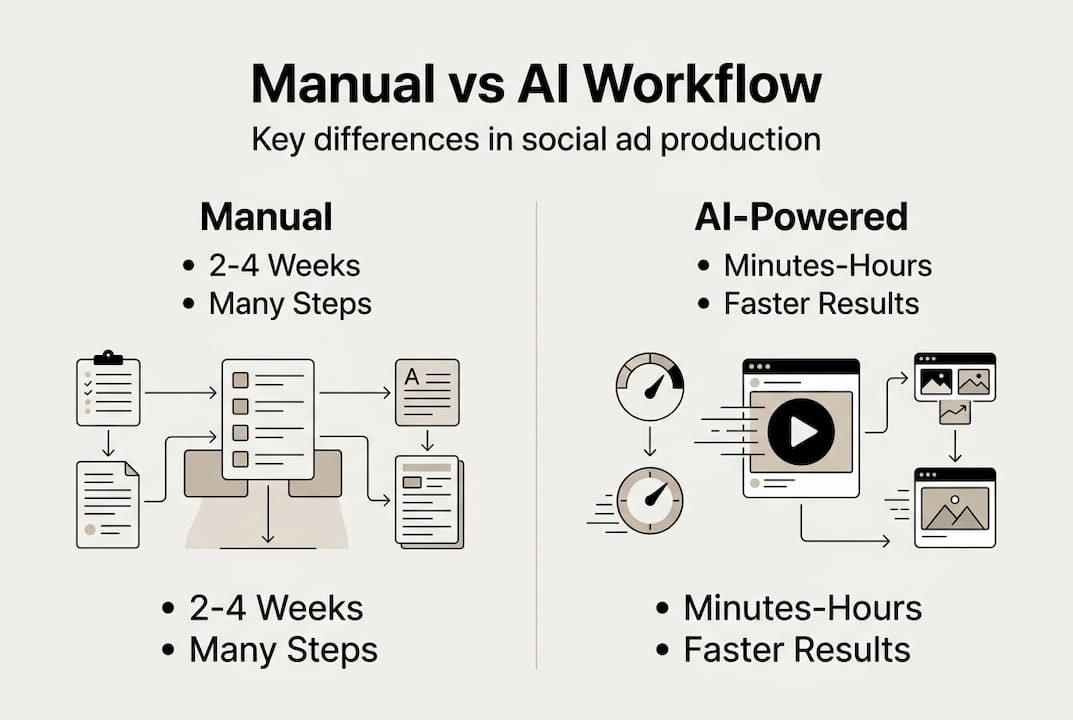
The difference between manual and AI-powered execution is significant. E-commerce video ad workflows that adopt AI at the production stage see faster iteration cycles and more consistent output quality.
| Factor | Manual workflow | AI-powered workflow |
|---|---|---|
| Production time | 2 to 4 weeks | Minutes to hours |
| Cost per asset | High (creator fees, editing) | Fraction of traditional cost |
| Scalability | Limited by team size | Near-unlimited variations |
| Quality consistency | Variable | Standardized and repeatable |
| Testing speed | Slow | Rapid, data-driven iteration |
Following effective video marketing steps and exploring video ad ideas for engagement will help you fill each stage of this workflow with content that actually performs. Industry standards for campaign management in 2026 increasingly favor teams that can iterate fast and test constantly.
Troubleshooting and optimizing your workflow for growth
A powerful workflow is always evolving. Here’s how to continually make yours better.
Even well-designed workflows hit walls. The most common issues that emerge after launch include creative fatigue, where audiences stop responding to the same ad formats, slow approval cycles that delay time-sensitive campaigns, data silos that prevent your analytics from informing your creative decisions, and a lack of UGC diversity that makes your ads feel repetitive.
The fix isn’t always a new tool. Often, it’s a tighter feedback loop and a clearer review cadence.
Teams that review ad performance weekly and feed those insights back into their creative process see compounding improvements in ROAS over time. The workflow isn’t a one-time setup. It’s a living system.
Here’s what to measure and how to act on it:
- CTR by hook: If your click-through rate is low, your opening three seconds aren’t working. Test new hooks before changing anything else.
- Completion rate: Low completion means the middle of your video is losing people. Shorten scripts or add pattern interrupts.
- Conversion rate by audience segment: If one segment converts at 2x the rate of another, reallocate budget and create more content for that group.
- Approval cycle time: If reviews take more than 24 hours on average, your process needs tighter SLAs or a dedicated reviewer.
- Asset diversity score: Track how many unique creative formats you’re running. More variety reduces fatigue and gives algorithms more to optimize.
Common workflow errors often stem from teams treating the workflow as static rather than adaptive. Reviewing UGC performance stats regularly helps you benchmark your results against what’s actually working across the industry.
Schedule a monthly workflow review. Bring data, not opinions. Ask what slowed you down, what performed best, and what you’d do differently. That discipline is what separates teams that plateau from teams that keep growing.
Why a streamlined workflow is your unfair advantage in 2026
Now that you’ve mastered the proven workflow, it’s worth reframing why this shift matters beyond just saving time.
Most e-commerce brands treat workflow optimization as an operational task. They’re wrong. It’s a strategic one. The platforms you advertise on change their algorithms constantly. Audience attention spans keep shrinking. The brands that win aren’t necessarily the ones with the biggest budgets. They’re the ones that can produce, test, and iterate faster than everyone else.
Incremental tweaks to a broken workflow won’t keep pace with that speed. If your team is still routing approvals through email and sourcing UGC from individual creators one at a time, you’re not just moving slowly. You’re falling further behind with every campaign cycle.
Here’s the uncomfortable truth: the compounding cost of an inefficient workflow is almost always underestimated. It’s not just the hours lost. It’s the campaigns that launched a week late, the creative that never got tested, and the budget that went to ads that could have been better with one more iteration.
Teams using AI-based workflows report not just faster production but measurably better team morale. When the grunt work is automated, your strategists can focus on higher conversions with smart strategies rather than chasing approvals. That’s the real advantage: not just speed, but clarity and focus at every level of your team.
Take your social ad workflow to the next level with HotUGC
Ready to transform your social media advertising process for good?
HotUGC gives e-commerce marketing teams an all-in-one AI platform to streamline your social ad workflow from script to screen. Generate UGC style video ads with realistic avatars, conversion-optimized scripts, and attention-grabbing hooks in minutes, not weeks. No filming, no creator sourcing, no endless revision rounds. HotUGC supports multiple languages, offers deep customization, and includes commercial rights for every asset you produce. If your team is ready to cut production costs, boost ad quality, and finally run campaigns at the speed the market demands, HotUGC is built exactly for that.
Frequently asked questions
What are the key steps in a high-performing social media ad workflow?
Ideation, UGC sourcing, AI content generation, creative editing, review, launch, and data-driven optimization are the critical steps. Following a structured e-commerce workflow ensures nothing gets skipped and every stage feeds the next.
How does AI improve the social media advertising workflow?
AI automates repetitive tasks, accelerates creative production, and enables dynamic content testing for higher ad performance. Automating video ad creation can cut costs by 90% and boost CTR by 5x compared to manual methods.
What types of tools are essential for an efficient workflow in 2026?
You need integrated tools for content planning, UGC collection, AI editing, approvals, and analytics to maximize workflow efficiency. Platforms that automate production eliminate the manual handoffs that slow most teams down.
What common mistakes slow down social media ad workflows?
Frequent delays include unclear roles, manual processes, scattered feedback, and lack of standardized templates. Addressing common marketing team pain points early in your workflow design prevents compounding delays later.


